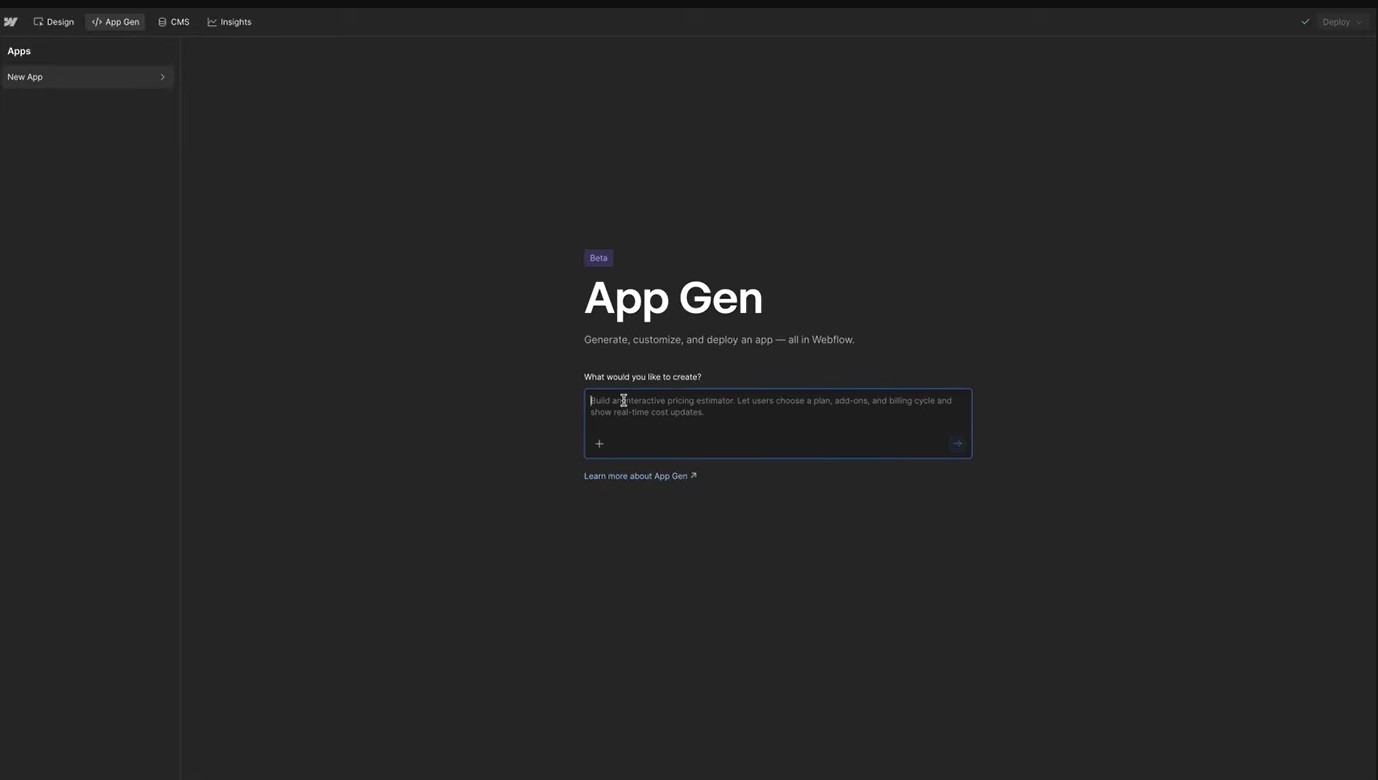
For years, Webflow has been the undisputed king of visual web design. But it had a clear ceiling: if you wanted complex logic—like a mortgage calculator, a dynamic job board with filters, or a live dashboard—you had to hire a developer or wrestle with custom JavaScript code. That ceiling just shattered. Enter Webflow App Gen, a new AI-powered feature (currently in Open Beta) that allows you to generate functional, React-based web applications inside the Webflow Designer just by typing a prompt. It’s not just "text-to-website." It’s "text-to-software." Here is your complete guide to what it is, how to use it, and the one major limitation you need to know before you start.
What Exactly Is Webflow App Gen?
At its core, App Gen is a bridge between Visual Design and Modern Engineering. Traditionally, if you wanted a "web app," you would need to leave Webflow and use tools like Next.js or React. App Gen brings that power inside Webflow. It uses AI to write React code for you, styling it automatically with your site’s existing classes, fonts, and variables.
The Breakdown:
The Workflow: How to Build Your First App
You don't need to be a prompt engineer to get this right, but you do need a process. Here is the workflow that works best:
"Pro Tips" for Better Results
After testing the beta extensively, here are three secrets to getting usable code on the first try:
The "Elephant in the Room": Current Limitations
Before you promise a client a fully blown SaaS platform, you need to know what App Gen cannot do (yet). No User Authentication (Logins): You cannot currently build a "Member Dashboard" where users log in to save their own data. The apps are public-facing. Read-Only CMS: Your app can read data from your CMS (to display it), but it cannot easily write data back to the CMS without complex API work. It’s Still Beta: Expect occasional bugs, especially when syncing complex components.
The Verdict
Webflow App Gen is a game-changer for interactive marketing assets. Build: ROI Calculators, Product Configuators, Advanced CMS Filters. Don't Build (Yet): Social networks, SaaS tools requiring login, or complex banking apps. It marks the moment Webflow stopped being just a "website builder" and started becoming a "web experience platform." Go turn that beta toggle on and build something cool.